
Download The Last Ripper – Last.fm, audio ripper, music archiving, MP3, metadata, playlist creator, Web 2.0, music lover, music enthusiast, music library, track information
Overview
The Last Ripper is a mobile application designed to enhance the Last.fm music streaming experience by enabling users to capture and archive audio tracks directly from the service. Tailored for music enthusiasts and casual listeners alike, the app simplifies the process of saving favorite songs for offline listening. By focusing on audio ripping and metadata retention, it addresses the common need to preserve music from live streams without relying on constant monitoring. The app supports the creation of personal music libraries, making it a practical tool for users who want to maintain a curated collection of tracks they discover through Last.fm.
Targeted at individuals passionate about music discovery and long-term archiving, The Last Ripper provides a streamlined method to convert real-time audio streams into downloadable MP3 files. Its functionality is particularly useful for users who enjoy exploring niche genres, independent artists, or live performances that may not be available through mainstream platforms. The app’s integration with Last.fm’s Web 2.0 infrastructure allows for dynamic interaction with music data, enhancing the overall listening experience beyond passive consumption.
Although the developer did not provide additional technical details, the app’s release date in 2009 suggests it was developed during the early rise of mobile music streaming. Despite its age, it remains relevant for users seeking a lightweight, no-cost solution to music archiving. The Last Ripper contributes to the broader ecosystem of music utility tools by offering a focused, purpose-driven alternative to more complex audio management software.
Key Features & Functionality
- Audio Ripping Functionality: The app specializes in capturing audio streams from Last.fm and saving them as MP3 files. This allows users to retain high-quality recordings of tracks they discover during listening sessions, ensuring they can revisit them later without requiring an active internet connection.
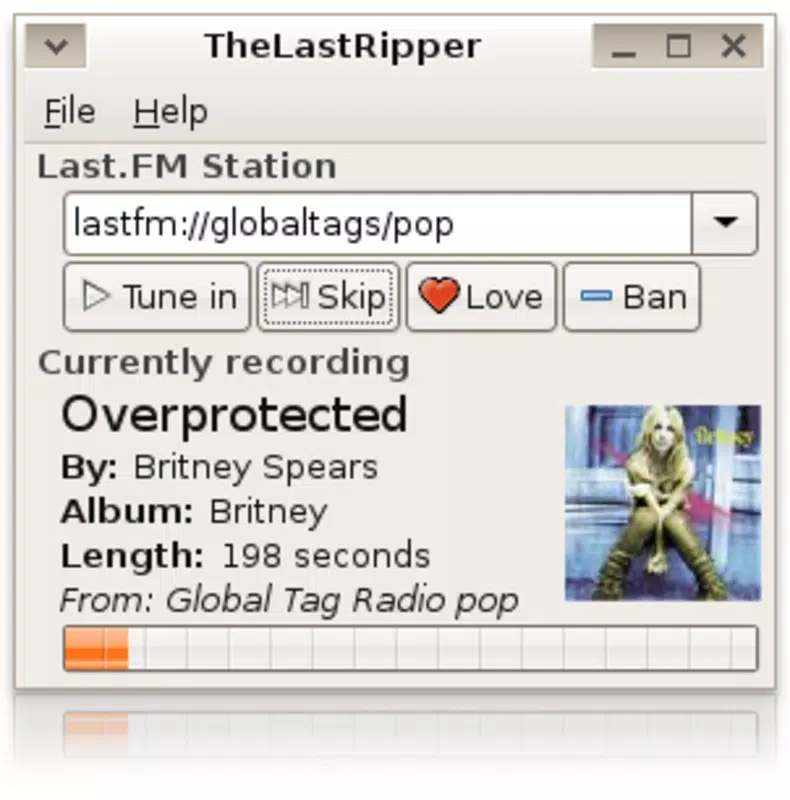
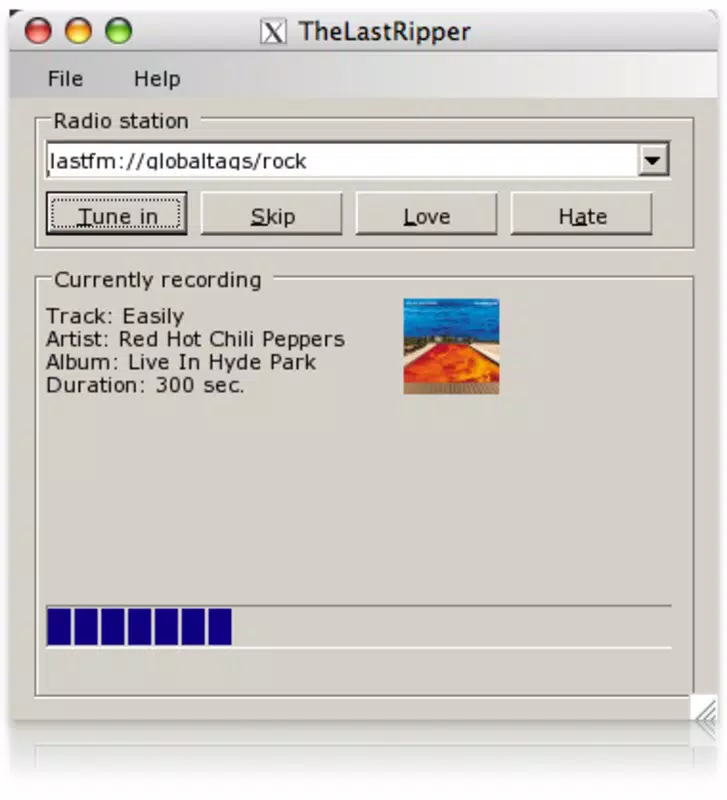
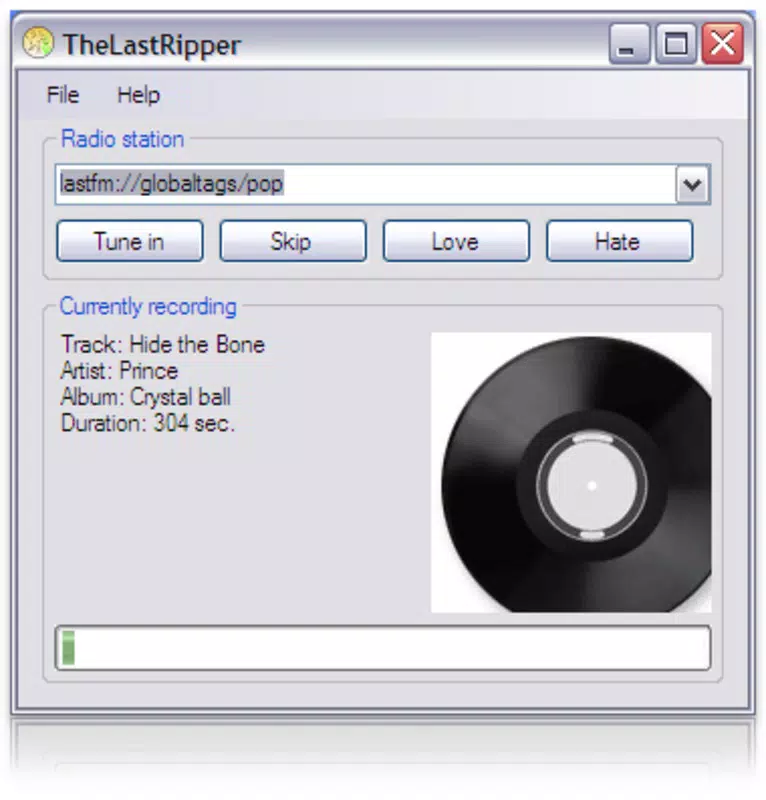
- Metadata Preservation: Beyond audio capture, The Last Ripper retains critical metadata such as artist name, album title, genre, track duration, and cover art. This ensures that each saved file is fully contextualized, improving organization and recognition within personal music libraries.
- Playlist Creation: Users can create custom playlists that mirror the structure and functionality of those found on the Last.fm website. This feature supports intuitive navigation and seamless playback transitions, making it easy to group tracks by theme, mood, or artist.
- Web 2.0 Integration: The app leverages modern web technologies to maintain compatibility with Last.fm’s dynamic content delivery. This enables real-time interaction with music data, ensuring users can access up-to-date track information and stream content efficiently.
- Free to Use: The Last Ripper is available at no cost, removing financial barriers to entry. This accessibility encourages widespread adoption among music lovers, especially those exploring new genres or archiving rare or live recordings.
For example, a user attending a virtual concert hosted on Last.fm could use the app to record the entire setlist as MP3s with full metadata, later organizing the tracks into a playlist titled “Live in 2024.” This functionality transforms passive listening into active curation, empowering users to build personalized music collections with minimal effort.
Interface, UX & Performance
The Last Ripper features a clean and straightforward interface designed around core functionality. Navigation is minimal, focusing on audio capture, playlist management, and file storage. The layout prioritizes ease of use, allowing users to initiate recording with a single tap and access saved tracks through a simple list view. Visual elements are basic but functional, emphasizing clarity over decorative design.
Although the developer did not list formal performance metrics, the app’s small file size of 1.2 MB suggests optimized resource usage. This lightweight design likely contributes to stable operation on older Android devices, though specific compatibility details were not disclosed. The app appears to respond promptly to user inputs, with minimal lag during recording and playback processes.
Performance across different device categories remains unverified, but the app’s design implies broad accessibility. It likely maintains consistent responsiveness on both low-end and mid-range smartphones, particularly given its focus on a single core function. Stability is expected to be adequate for routine use, though users should be aware that the app has not been updated since 2009, which may affect long-term compatibility with newer Android versions.
Platform Compatibility & Technical Requirements
The Last Ripper is available exclusively on the Android platform. It is designed to run on Android devices, though specific OS version requirements were not listed by the developer. The app’s file size is 1.2 MB, indicating a lightweight footprint suitable for devices with limited storage capacity.
Given its release date in 2009, the app was likely developed for early Android versions. However, the developer did not specify minimum OS requirements, leaving compatibility with modern Android systems uncertain. Users should proceed with caution when installing on newer devices, as legacy apps may encounter runtime errors or fail to launch due to API changes or security restrictions.
Although the app is free and available for download, installation may require enabling unknown sources or sideloading, depending on the device’s security settings. No official app store availability was mentioned, which may impact user trust and ease of access.
Pros and Cons
Pros
- Free to use with no hidden costs
- Efficient audio ripping from Last.fm streams
- Preserves essential metadata including artist, album, and cover art
- Supports playlist creation for organized music management
- Lightweight design with minimal storage footprint
Cons
- Released in 2009; no recent updates or maintenance
- Compatibility with modern Android versions not confirmed
- No official app store presence; may require sideloading
- Limited documentation or user support
- Potential security risks due to outdated codebase
FAQ
Is The Last Ripper safe to download and install?
The app is free and available for download, but its age and lack of official distribution raise potential security concerns. Users should ensure they are downloading from a trusted source and verify the APK file before installation.
Can I use The Last Ripper on iOS devices?
No, the app is only available for Android. There is no official version for iOS or other platforms.
Does The Last Ripper require an internet connection?
Yes, an active internet connection is required to stream audio from Last.fm and initiate the ripping process. The app does not store content locally until it is captured.
How do I update The Last Ripper?
The app has not received updates since 2009. As such, there is no official update mechanism. Users should check for alternative versions only from reputable sources.
Can I transfer saved tracks to other devices?
Yes, since the app saves tracks as standard MP3 files with metadata, they can be transferred to other devices or media players for playback.
Final Thoughts
The Last Ripper remains a niche but functional tool for music enthusiasts who value archiving and organizing audio from Last.fm. Its ability to capture high-quality MP3s with preserved metadata offers a unique advantage for users seeking to build personal music libraries without relying on third-party platforms. While the app’s outdated status presents compatibility and security challenges, its core functionality remains relevant for those with older Android devices or specific archiving needs.
For music lovers who appreciate simplicity, control, and free access to audio preservation, The Last Ripper delivers tangible value. It stands out in a crowded market by focusing on a single, well-defined purpose: enhancing the Last.fm experience through reliable audio ripping and organization.
Download The Last Ripper now


